The Browser and the Borrowed Phone: Demoing Your App to a UK Buying Panel

Photo: Foreign, Commonwealth & Development Office, CC BY 2.0, via Wikimedia Commons
You’ve got a working app, a polished deck and a buying panel booked in. Then the email lands: their IT team won’t allow TestFlight, internal testing links or sideloaded APKs on managed devices. Could you demo it another way?
This is not an unusual objection. In UK procurement rooms, the people evaluating your app often sit inside organisations with locked-down laptops, restricted app stores and a security team that has seen too many ‘just trust us’ pilots. The install wall is not a technical problem to argue with. It is a design constraint. Build around it and you look prepared. Ignore it and you look like a supplier who has never shipped into the public or regulated sector.
The install wall is a procurement feature, not a bug
For a buyer, installing your app means accepting code onto a device, opening a network path and taking on support risk before a contract exists. That is a lot to ask for a first meeting. A browser demo or a loan device keeps the evaluation at arm’s length while still letting the panel see the product.
The trick is to stop treating the demo as a lesser version of the app. Treat it as a sales and assurance artefact with its own scope, evidence and exit criteria. The demo should answer the questions that procurement actually asks: what does it do, what data does it touch, what happens when the Wi-Fi drops, and how would a pilot work?
Three formats that survive a locked-down laptop
Browser-based walkthrough. A responsive web build of the core journeys is usually the smoothest option. It can run in Chrome or Edge, behind a one-time link, with sample data and no install. It does not need to be the full product. It needs to show the job to be done: onboarding, the main transaction, the confirmation screen and the bits where trust is won. If your app is native-only, a clickable prototype built from the real design system is still credible, as long as you are honest about what is mocked.
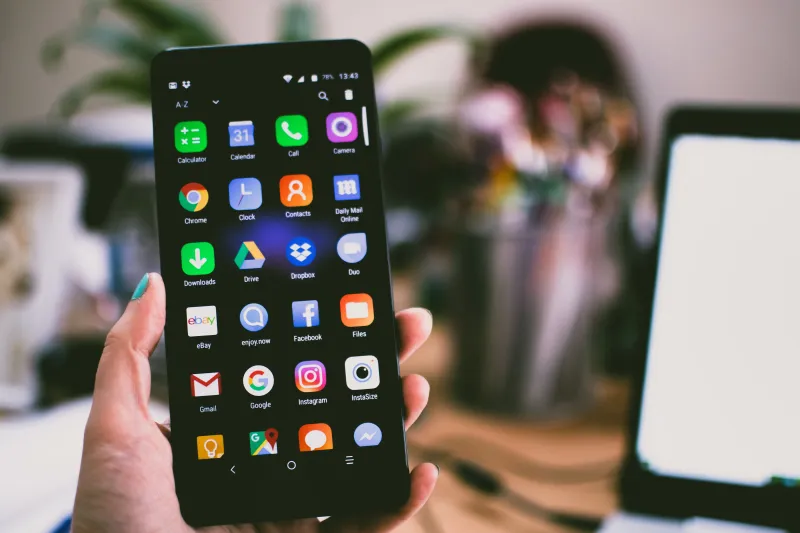
A loan handset. Sometimes the panel needs to feel the thing. Provide a preloaded device with a guided script, a loan agreement and a named contact. Keep it to one or two handsets, not a fleet. Label it clearly as a demo device, disable personal accounts and make sure it works offline. A borrowed phone with a dead battery and a spinning loader is worse than no phone at all.
Recorded flows plus live Q&A. For the most restricted rooms, a short screen recording of the real app can carry the demo. It is not interactive, but it is reliable. Pair it with a live walkthrough of the browser build so the panel can still ask questions.
Most teams end up with a hybrid: browser first, loan device for the deep-dive, recording as the fallback when the meeting room Wi-Fi does what meeting room Wi-Fi does.
What the buying panel actually needs to see
A pretty demo is not enough. UK buyers, especially in public sector and regulated industries, need evidence they can pass around after you leave. Put together a short pack that travels without you.
- A one-page security note. Where the demo is hosted, what data it collects, how accounts are handled, retention and subprocessors. Keep it plain. If the demo uses sample data only, say so in the first line.
- Sample data that looks real but isn’t. Use fictitious names, plausible UK addresses and test reference numbers. Never demo with a real customer record, even if it is ‘just’ a screenshot.
- An offline fallback. Show what happens when the connection drops. Panels notice whether your app degrades gracefully or shows a blank screen.
- A device and browser matrix. Which phones, tablets, browsers and operating system versions you have tested. Include the oldest device you support, not just the newest handset in the room.
- Known limitations. A demo that pretends to be production is a red flag. A demo that says ‘payments are mocked here; the pilot would use the live PSP’ builds trust.
Stop the demo becoming a second product
The real risk is not the first demo. It is the sixth. Someone asks for a small change, then a different data set, then a login flow that behaves like the real thing. Six weeks later you are maintaining a parallel codebase and the pilot has not started.
Keep the demo on a short leash. Reuse the real design components and the real API contracts where you can, but mock the services behind them. Use feature flags rather than a fork. Give the demo a named owner and a sunset date. No analytics, no admin console, no ‘just in case’ features. If a request will not help answer a procurement question, it goes in the pilot backlog, not the demo backlog.
From demo to pilot without a gap
A good demo should make the pilot easier, not create a cliff edge. Agree the exit criteria before the meeting: what does the panel need to see to approve a pilot, and what does the pilot need to prove? Then design the handover.
The pilot environment should be separate from the demo, with real accounts, real support routes and a clear onboarding session. The demo’s sample data should not follow you into the pilot. The known limitations list should become the pilot’s test plan. And the person who ran the demo should not disappear the moment the contract is signed.
A week-before checklist
Test the browser build on a managed Windows laptop, not just your own Mac. Check the loan handset charges, updates and works without a SIM. Print the security note and the limitations page. Confirm who owns the demo link and when it expires. Have a recorded fallback ready. And rehearse the first two minutes, because that is where most demos are won or lost.
The download-free demo is not a compromise. It is a sensible way to sell an app into a room where nobody can install anything. Do it well and the panel remembers the product, not the workaround.